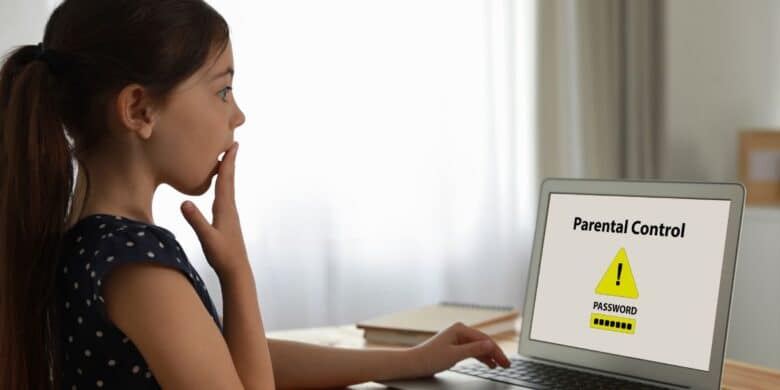
Are you looking for the best parental control software in Australia? KidsAppLock is an Australian-based family-friendly resource that teaches you how to block websites, use the best apps to control screen time, and manage your children’s, especially teenagers’, online activity.
With all the options available for managing your kids’ device use, you may already feel confused about which one to choose for iPhones, iPads, Android devices, and Windows PCs.
What parental control app do we use and recommend?
For Australian families, we recommend and use the Award-Winning Norton 360 Premium + Parental Controls with antivirus protection, or you can purchase the standalone Norton Family Application to monitor applications, websites, social media, and screen time.
We have been using their Antivirus protection services since the early 2000’s, so you can have confidence in them as we have.
To make it work, though, you must have a family talk to implement the application with your kids.
Remember, you are not spying on your children but setting some family rules to lead a balanced life and blend screen time and social activities in a healthy way. This is the only way to control screen time with positive, not negative, effects.
Please keep reading, and we will show you how to set up the application.
What can screen addiction lead to?
Device usage is highly addictive and requires healthy boundaries.
- Sleep disorders affecting your children’s mental and physical state
- A lack of focus on school studies will lead to poor academic development
- Due to excessive screentime, short-sightedness may appear prematurely
- Physical activity deprivation will most certainly lead to obesity and other health issues
- Family bonding can become nonexistent due to device scrolling addiction
- Let us show you the best parental control app for iPhone, iPad devices, Android and Windows PC
Why is Norton 360 Premium + Parental Controls one of the best child device monitoring apps?
Check out the family benefits and how to set up the parental controls; it’s nice and easy
Apps to control screen time family benefits:
- Obstruct viewing of inappropriate content and pornographic websites – (IOS, Windows & Android)
- Alerts on apps being installed by your kids – (Windows & Android)
- Establish time-limited Internet blocking for periods that suit the family – (IOS, Windows & Android)
- See search terms being used online – (IOS, Windows & Android)
- Keep track of videos seen online, including YouTube – (IOS, Windows & Android)
- Track your kids’ locations for peace of mind – (IOS & Android)
- Option to instantly lock devices to prevent screen time abuse – (IOS, Windows & Android)
- Receive instant email notifications of any disallowed activity – (IOS, Windows & Android)
- School time control option to supervise remote learning – (IOS, Windows & Android)
- A robust Antivirus protection to keep the family secure online
- One of the best apps to control screen time for all ages

Includes Antivirus, VPN & Identity Protection
Supported on Windows PC, Android, and IOS (iPhone & iPad), Macs excluded

If you do not require Antivirus protection, you can purchase the standalone Norton Family Application
Our rating is 9 out of 10
Only AU$10.00 per month for the first year
Is it easy to set up? Yes, it is, and we show you through our account how to do it
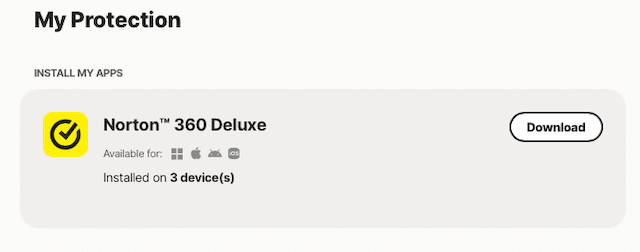
Step 1. Subscribe and download the Norton 360 Premium + Parental Controls
Step 2. Enter your family details once your account is set up
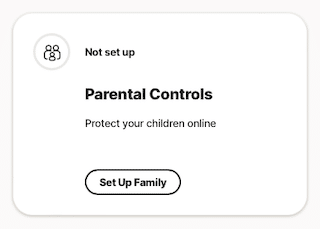
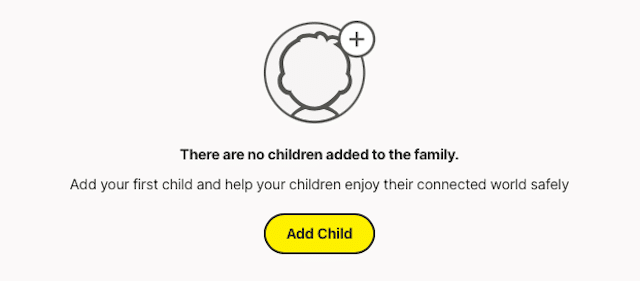
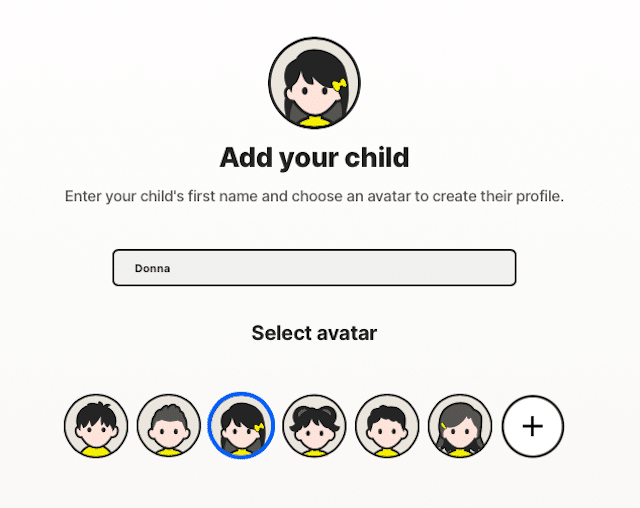
Step 3. Add your child’s details to register their own account
Step 4. Add your kid’s name and preferred avatar
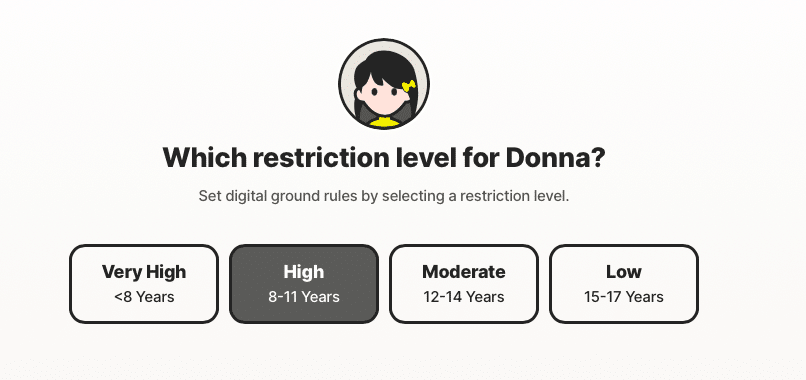
Step 5. Add the desired restriction level based on age
Step 6. Choose whose child’s device will be registered
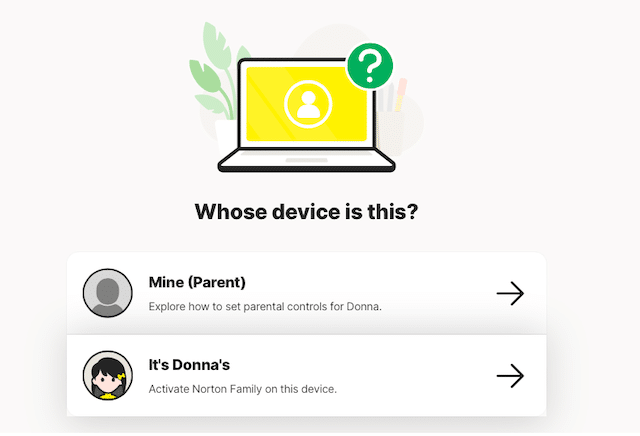
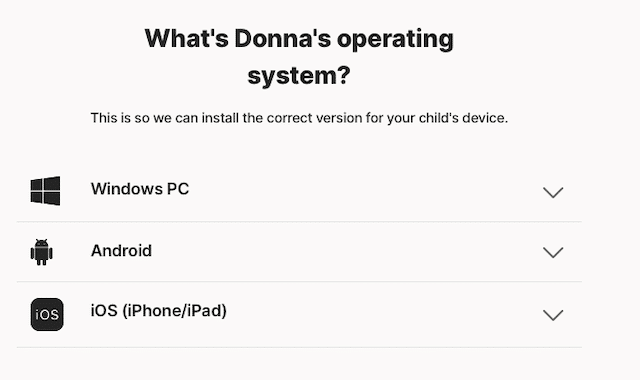
Step 7. You will receive a barcode to install and activate Norton Family
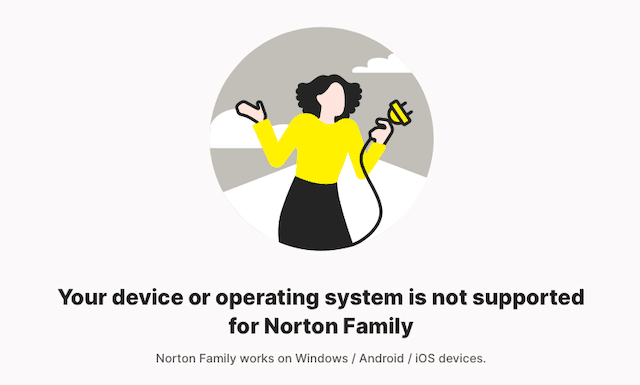
Step 8. Please note that the Norton Family parental controls are not supported on Mac devices
Includes Antivirus, VPN & Identity Protection
Supported on Windows PC, Android, and IOS (iPhone & iPad), Macs excluded
If you do not require Antivirus protection, you can purchase the standalone Norton Family Application
Our rating is 9 out of 10
Only AU$10.00 per month for the first year
The best parental control software in Australia: The essential app features
Check out the table of contents below and choose the concern that matters most to you about your children’s online activities so you can choose the most efficient apps to control screen time.
- Content Screen Filtering
- Social Media Monitoring
- Manage Downloaded Apps
- Monitor Websites Visited
- Manage Screen Time Limits
- Monitor Location Tracking
- Monitor Kids Remotely
- Receive Management Alerts
Check out the Norton 360 Premium + Parental Controls features & benefits
Content screen filtering
- Norton parental control software in Australia informs you of the search terms or phrases your kids use online


It offers extensive content filtering capabilities, allowing parents to block inappropriate websites and content based on predefined categories or customised filters.
This helps protect children from accessing potentially harmful or age-inappropriate material, such as online porn.
Social media monitoring
- Prevent abuse of social site usage and online gaming to prevent addiction
One of its key functionalities is tracking and monitoring children’s online activity across various platforms.
It provides insights into their online interactions, posts, and messages, helping parents identify potential risks such as cyberbullying, identity theft or inappropriate behaviour.

Manage downloaded apps
- Informs you of the Apps your kids download, with the option to restrict them

Parents can manage their children’s apps on their devices. They can view installed apps, block specific apps, set time limits for app usage, and receive alerts when new apps are downloaded.
This feature helps ensure that children are using age-appropriate and safe applications.
Monitor websites visited
- Informs you about the websites being visited by your kids, with the capability of blocking them
It keeps a record of the websites children visit, giving parents visibility into their online activities.
This feature informs parents how to block websites and address concerns accordingly.

Includes Antivirus, VPN & Identity Protection
Supported on Windows PC, Android, and IOS (iPhone & iPad), Macs excluded
If you do not require Antivirus protection, you can purchase the standalone Norton Family Application
Our rating is 9 out of 10
Only AU$10.00 per month for the first year
Manage screen time limits
- Robust parental control software in Australia gives you the capability to set time schedules for kids’ online usage

Parents can set time limits for their children’s device usage with Norton Family parental controls.
This helps promote healthy screen time online habits and encourages a balanced lifestyle by setting specific periods for study, sleep, or family time.
Monitor location tracking
- By using your Mobile network, WiFi networks and GPS, it tracks your kids’ location
The Norton 360 Premium + Parental Controls includes location-tracking features, allowing parents to monitor their children’s whereabouts.
This provides peace of mind and helps to ensure their safety.

Monitor kids remotely
- Whether at work or out shopping, see your kids’ activities online
It offers remote management capabilities, enabling parents to monitor and control their children’s online activities from anywhere.
They can access the parental control settings, view reports, and make changes via a web portal or a mobile app.
Receive management alerts
- Receive alerts when your kids do not follow the family’s online rules
It will generate detailed reports and send real-time email alerts to parents about their children’s online activities.
These notifications can include information about blocked websites, attempts to access restricted content or potential risks detected.

Includes Antivirus, VPN & Identity Protection
Supported on Windows PC, Android, and IOS (iPhone & iPad), Macs excluded
If you do not require Antivirus protection, you can purchase the standalone Norton Family Application
Our rating is 9 out of 10
Only AU$10.00 per month for the first year
Summary – Parental control software in Australia

We advise sourcing reputable online protection software with a yearly subscription that includes the features noted above. Do not take shortcuts with inferior products and services.
Protecting and monitoring your kids online is paramount, and using a subscription-based service like Norton 360 Premium + Parental Controls gives you peace of mind knowing they are safeguarded.
Not only is it the best parental control app for Android, but also the best for your iPhone without being intrusive on your kids.
Did you know one of the most popular search phrases is “How to block websites“? Food for thought.
It’s an investment well spent; honestly, dividing it month-to-month is insignificant and relatively inexpensive, and it protects year-round with the best parental control software in Australia.
Moreover, there are great alternatives that can help them use their screen time constructively, such as learning a new language, which can be life-transforming when they know they have mastered a new native tongue. Or how about enrolling them in kids’ coding classes?
Please message us on the KidsAppLock contact page if you have any questions about parental control apps.
Take note that these Apps are only part of the solution, and, as parents, you need to acquire the skills and knowledge as an additional layer of protection to keep your Kids safe online.
Enrol today in the eSafety Commissioner Free Webinars for parents to gain those extra skills that will empower you even more.